


Multi Data Source, Load, Connect and Transform
Moving data between different data sources and automating the data flow between systems is always challenging. FlexRule’s Information Requirement Diagram (IRD) allows you to model the flow visually while decoupling the rules and decisions from the data sources.

Building Data Quality and Validation Pipeline
Ensuring data quality requires validating business rules and decisions. It also requires different perspectives (e.g. quality for safety, compliance, operation, etc.). Using FlexRule, different Data Quality and Validation abstractions can be defined and executed against the same data source.

In-Memory Operation and Manipulation
Data operations can be modelled visually or by data operation expressions (Monadic Operators). Connect multiple data sources together to enrich and manipulate the data. Then compile the information by applying analytics and AI to build the results all in-memory so privacy is not compromised.

Data Virtualization: Single View of Things
Build data virtualization based on multiple data sources. Transform the results based on different abstractions by applying business rules. Put together the end results and expose them as a new list or view for your consumers, customers, users, devices and more.
Data Source Connectors
Database and API Connectors: A Large, Growing Library of Connectors
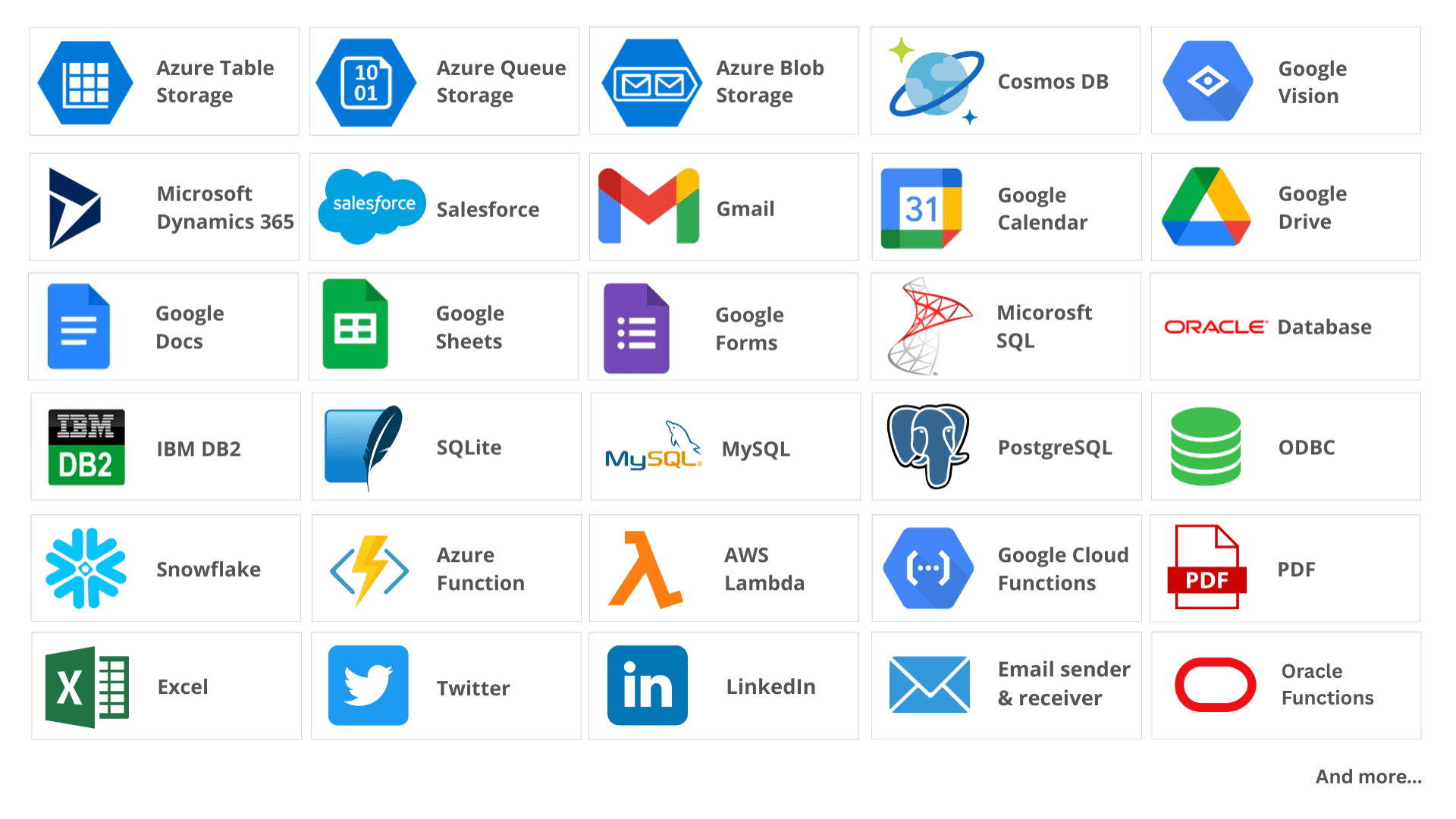
Database: Wide range of databases such as MS SQL Server, Oracle, PostgreSQL, MySQL, MS Access as well as NoSQL databases, events or custom storages.
API: Generic REST API connector to connect to any REST API endpoint. Communicate with any VERB and even attach contents and files if needed.
Applications: Pre-built data integration to services and apps such as Gmail, Twitter, LinkedIn, Google Calendar, Salesforce, Dynamic 365, and so on…
Files: Any location such as local computer, FTP, web servers, etc., and any format such as CSV, Excel, XML, JSON, PDF, and more.
Dynamic Data Validation is Crucial
Standardize Data Exchange: Contextually Validate Data using Rules and Constraints
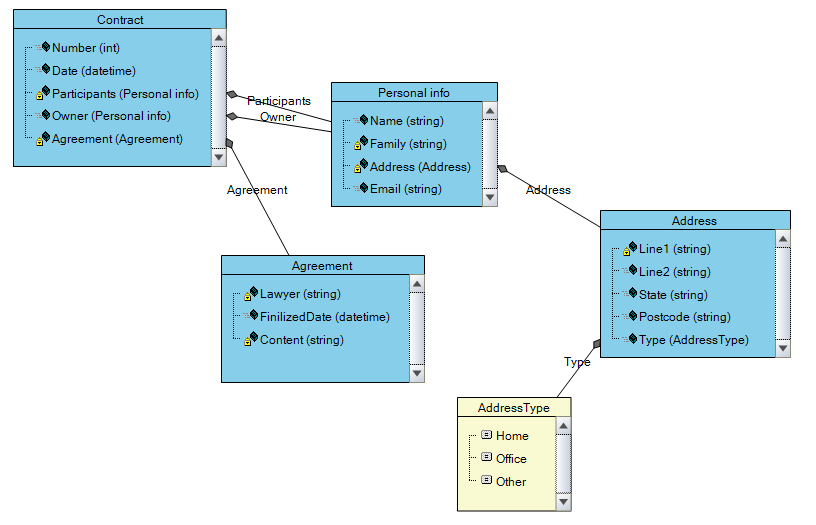
With data located all over the place, and with many different processes within the organization needing some part of it, Dynamic Data Validation is a vital way of establishing Data Standard Exchange based on scenarios.
Fact Concept is an advanced approach which allows you to define a data structure based on individual scenarios and business processes needing the data. It allows you to define different view points and abstractions of data structure, constraints and rules for different cases rather than a fixed structure and format of data for all. One size, does not fit all!
Democratizing SQL Query Building!
Visual Query Builder: Building SQL Queries Visually with No Coding Skills
The Visual Query Builder enables non-technical people such as operation and business leaders to access data and build queries visually with ease. With this visual user interface, you can construct SQL queries with simple drag and drop. The Visual Query Builder understands the structures of your Tables, Views, and their relationships. You simply select the field you need, which builds the query for you. The Visual Query Builder supports:
- Table and Views
- Relations and Joins
- Query parameters
- Filters
- Preview of Results


Dynamic Queries
The Visual Query Builder enables non-technical people to not only compose the SQL query visually but also enables them to write complex Filtering criteria and parameters with ease. The filters can use SQL comparison operators and built-in data functions.
Once the query is composed and the filter is ready, with a single click, the Data Preview screen can show sample data that will be retrieved to ensure everything is composed and configured as expected.
Data Analysis
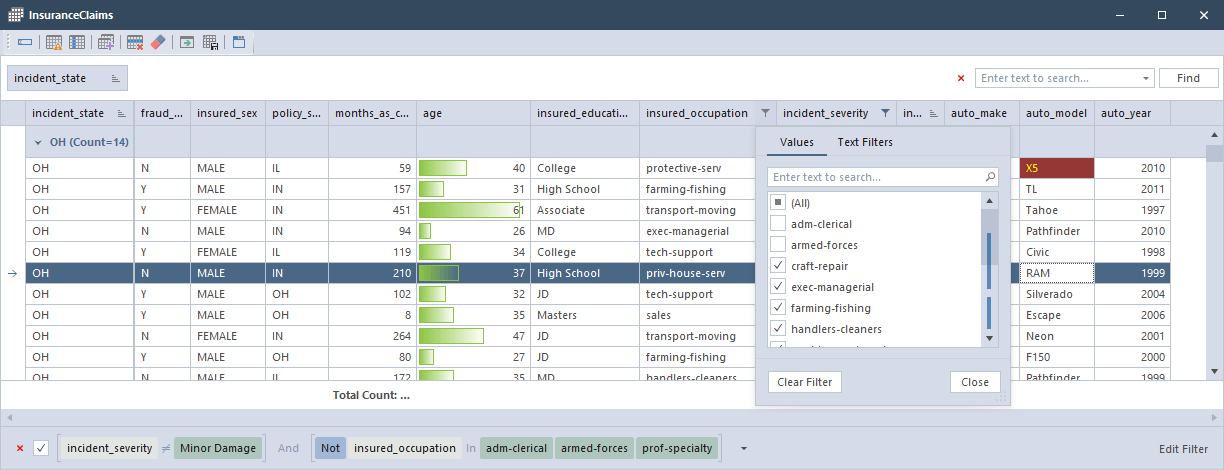
This easy-to-use, advanced Data Viewer enables you to simply start analyzing your dataset, inspect, and make sense of the collected data visually with –
- Multi-Level Columns Group
- Sort
- Search
- Filter on Columns' values
- Advanced filters based on Rules
- Highlight based on Rules
- Manipulate and Fix data
- Group and Footer summary based on aggregate functions (e.g. Count, Min, Max, Average)
- Clone a View in multiple Windows
- Support Missing Values
- Export to Excel, CSV, and JSON

Build and Manage Data Rules
Rules for Filters, Highlights, and Flags
An easy-to-use rules builder for data allows non-technical people to write rules against the data in a guided manner. The Data Rules composer looks up appropriate operator values and enables the end-user to compose simple or composite conditions with boolean operators such as And, Or Not and etc.
You can save and manage these Data Rules. and then use them for various purposes such as:
- Filtering data
- Building Custom Column
- Applying on Interactive Charts
- Conditional coloring of rows and cells
- Flagging a record
Pull Your Data Together
Data Virtualization: Build a Single View of Your Data
Data Virtualization allows you to pull data from disparate data sources, then run it through the model that creates outputs based on the input of data sources, and finally Expose it to the data consumers.
Our Data Virtualization capability allows the linking of data from multiple data sources, the matching and finding of relationships between them using an exact match or a fuzzy logic match with a confidence score, and exposes the result as a REST API end point to the data consumers.


Deal with Complex Data Scenarios
Data Operations: Transform, Enrich, and Validate
Once you connect to the data sources using our rich API and Applications connectors, you need to query the data. Once the data is available for your model, you need to do data operations such as: Filter, Join, Lookup, Group, and so on.
FlexRule provides a strong Data operation that allows you to build a model either visually (i.e. Information Requirement Diagram), or Syntax language (Monadic operator) to deal with load data. Both options for processing and dealing with data are in-memory and very quick.
Composite AI model for
Decision Intelligence





