
Agent Keys associated with Agent accounts are designed for secure authentication, allowing external systems to securely execute services and access API endpoints.
In this guide, you'll learn how to create an Agent Account, generate an Agent Key, and use it to authenticate your requests.
Create a New Agent Account
Navigate to the Administration section in FlexRule Open Workbench. From the administration menu, open Agent Accounts. This Agent Account page lists all the agents you have already created and the management of those agents. You can either create a new agent, delete existing agents, or edit existing agent details.
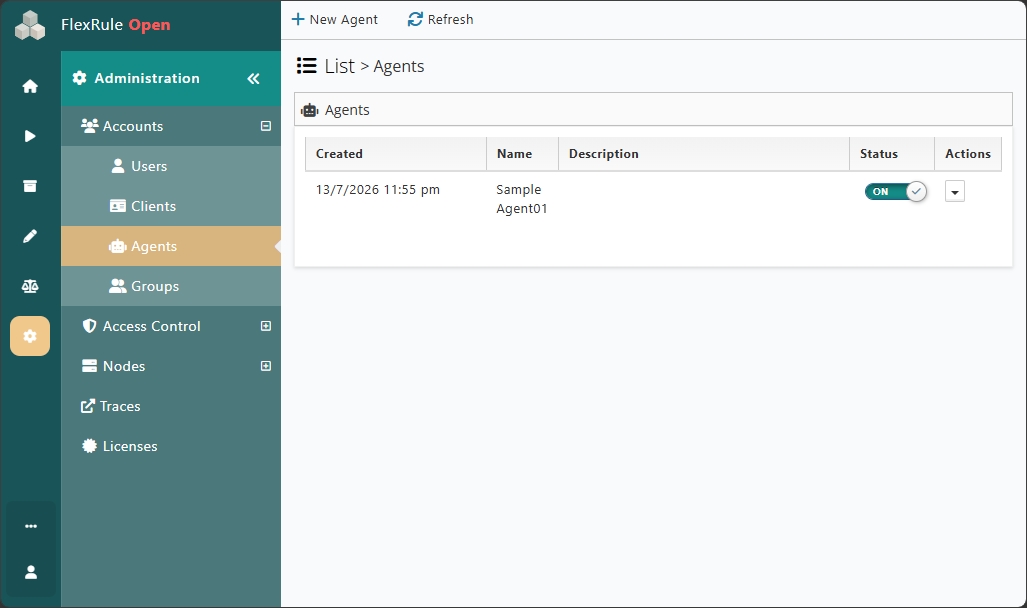
Click New Agent Account. Provide the required information, including:
- Agent Name
- Description notes (optional)
- Assign packages for Agent
- Assigned permissions for roles
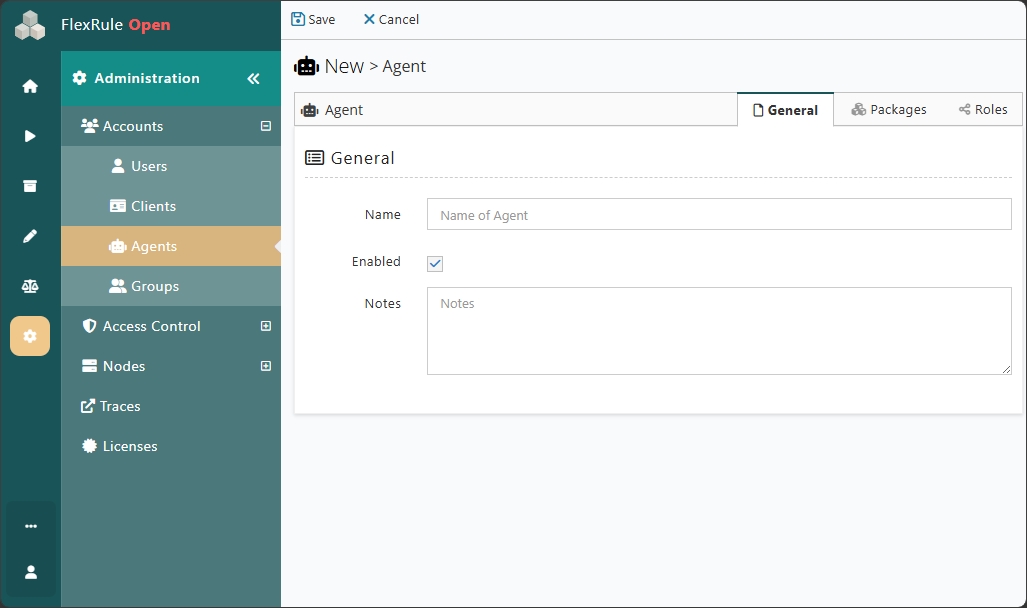
Once completed, save the Agent Account.
Generate an Agent Key
After creating the Agent Account, you can generate an Agent Key. The generated key uniquely identifies the account and is used when authenticating API requests. Store the Agent Key securely. Since it provides access to FlexRule services.
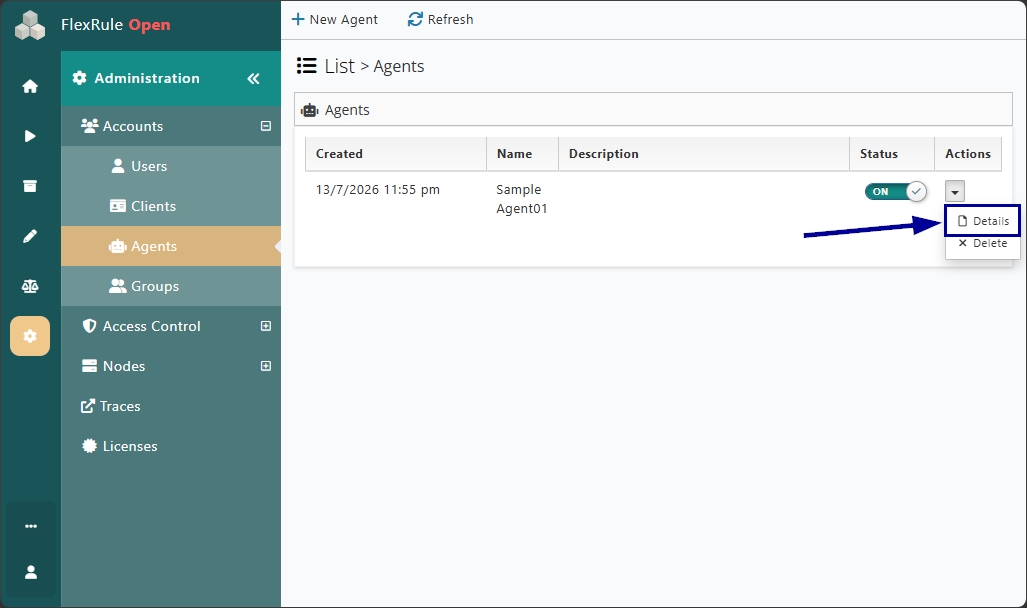
Click on Details in the Acton's column and navigate to the Keys tab. You can now generate an authentication key if you don't already have one.
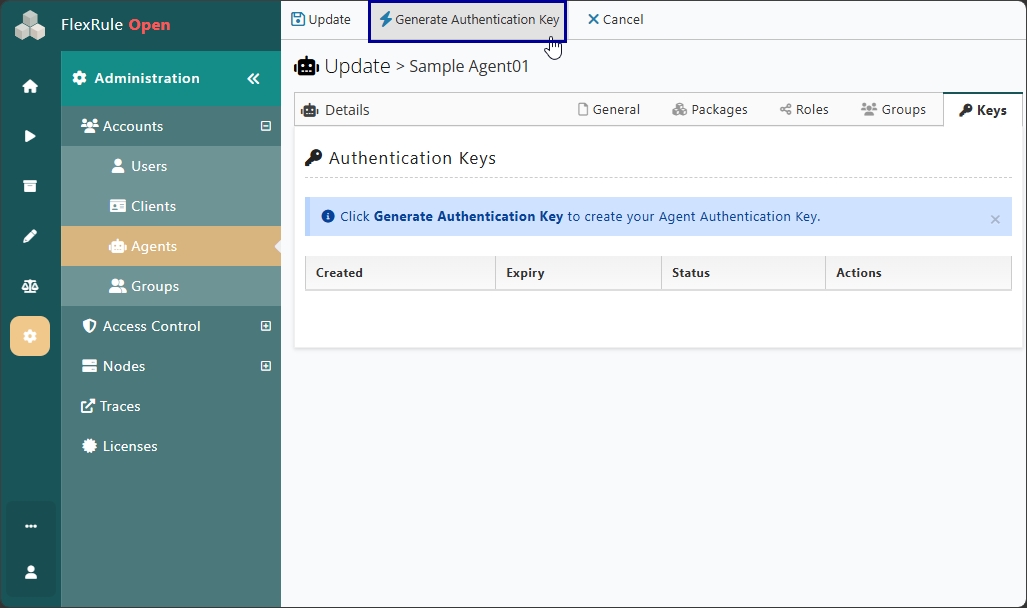
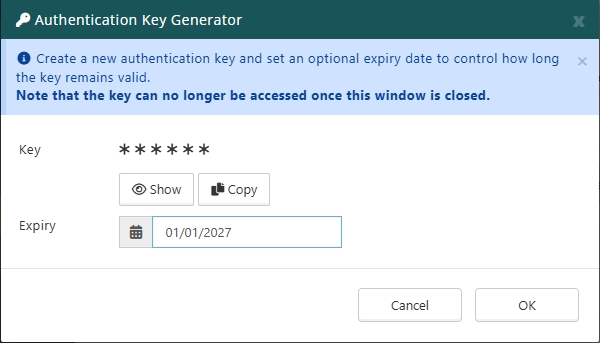
You can copy the Key you generated and set an optional expiry date to control how long the key will be valid. Make sure to save the key at this point. Because its no longer access once its closed.
Authenticate API Requests Using the Agent Key
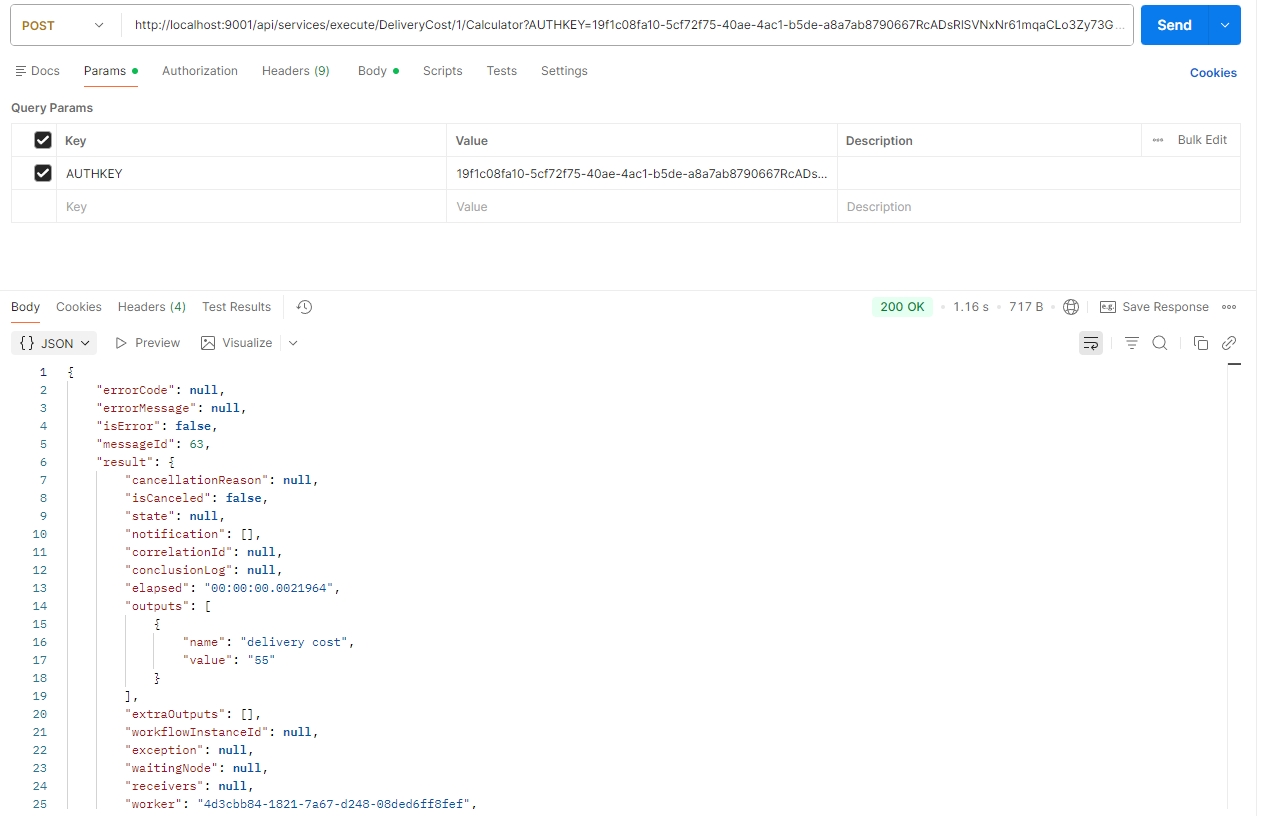
Configure your application to include the Agent Key when sending requests to FlexRule APIs endpoints. The Agent Key should be included in the query parameter. Once configured, every request will be authenticated using the associated Agent Account. Let's execute one service using an agent key via the Postman tool.
Authenticate via Workbench
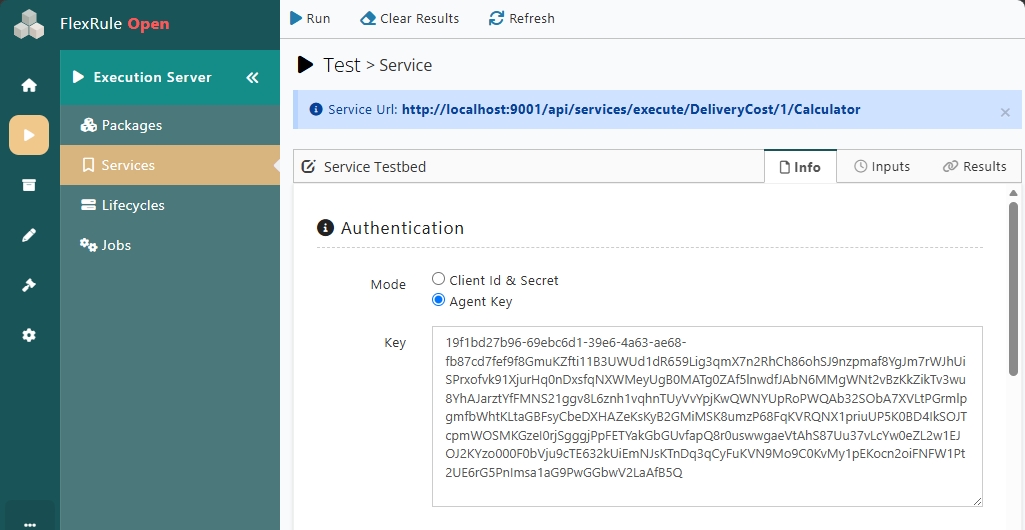
You can also test run your services via Workbench. It also allows you to use your agent key as an authenticator for executing the service.
Conclusion
Agent Keys provide a secure and scalable way to authenticate API requests in FlexRule Open. Instead of user or client accounts, an agent account with a valid agent key can authenticate API requests using the specified access controls.


