
Read through this guide to learn how to bind inputs to a boxed expression in a DMN model. When you work with a Decision Requirement Diagram (DRD), you will often use boxed expressions to create many types of reusable logic. Boxed Expressions need to take inputs from the DRD so that they can use the data you are working with, apply the needed logic, and return output. Binding is the process of linking the DRD parameters to the inputs of the boxed expressions. For more information on creating boxed expressions, see the FlexRule Resource Hub article: Creating Boxed Expressions.
Add a Boxed Expression to your DRD
Before we get into the actual binding, let's review how to add an existing Boxed Expression to a DRD project. First, drag and drop the boxed expression from your project explorer to a Business Knowledge node in the DRD.
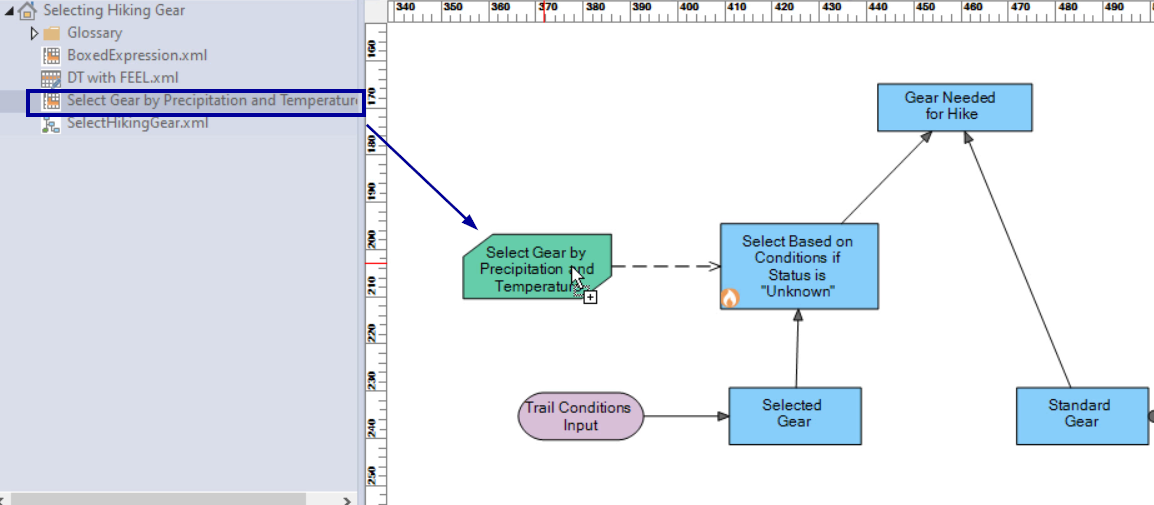
Then, set the node to run as a function and assign it a name—this will be how the logic is called.

Call the node in the associated blue Decision Node by setting its expression to the Boxed Expression's name.
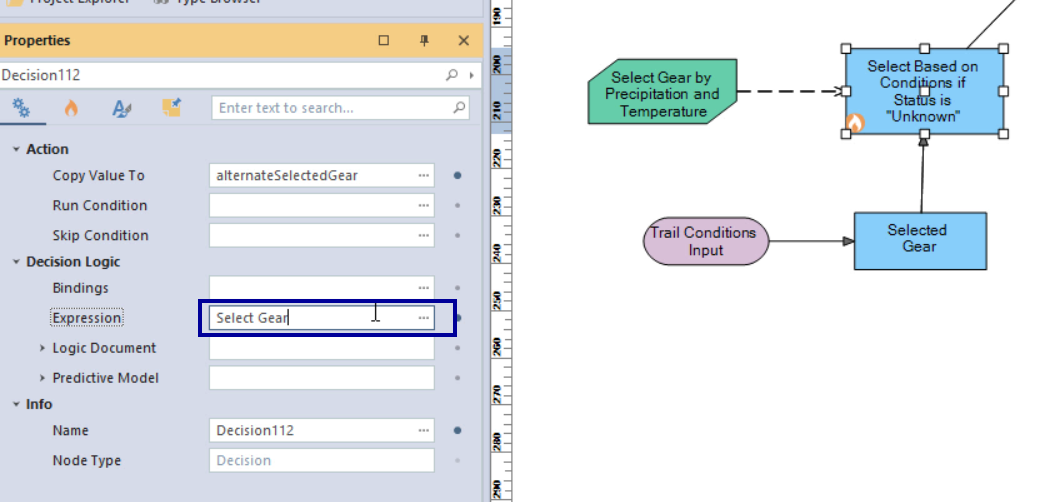
Binding Inputs to a Boxed Expression
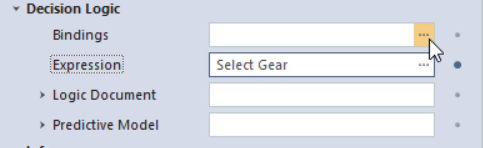
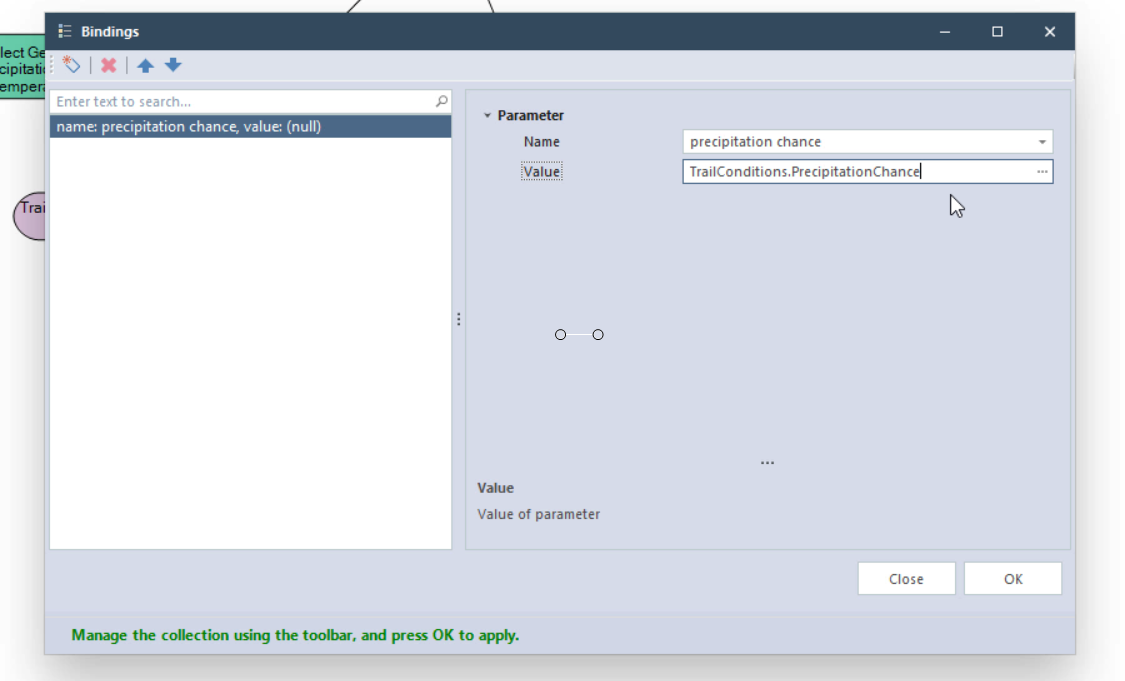
In the associated blue decision node, click the three dots in the bindings field of the properties window.
Then click on the dropdown in the Name field, and you'll see all inputs that your boxed expression is expecting. All of these need to be assigned.
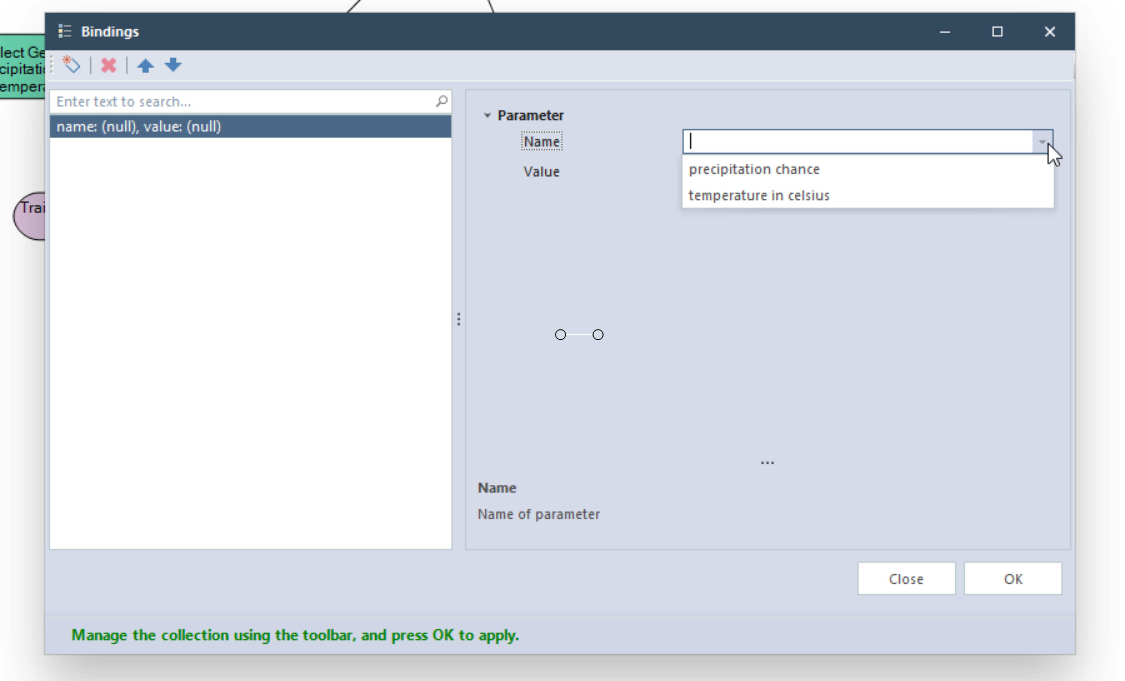
Select each name, and in the parameter field, write the name of the parameter associated with it.
Summary of Assigning Inputs to a Boxed Expression
To use a boxed expression in a DMN model, you must bind inputs from the Decision Requirement Diagram (DRD). So the expression can process data and return results. This involves dragging the boxed expression into a business knowledge node, setting it to run as a function, and referencing it in a connected decision node. In the decision node’s properties, you assign DRD parameters to each expected input of the boxed expression using the bindings field.


