
Assume you have a DMN model and want to deploy it on the cloud. There are some options for deploying the DMN model into a serverless environment, like Azure, AWS, and Google Cloud. This article discusses how you can deploy a DMN model as an Azure Function.
Package Settings for Azure Function
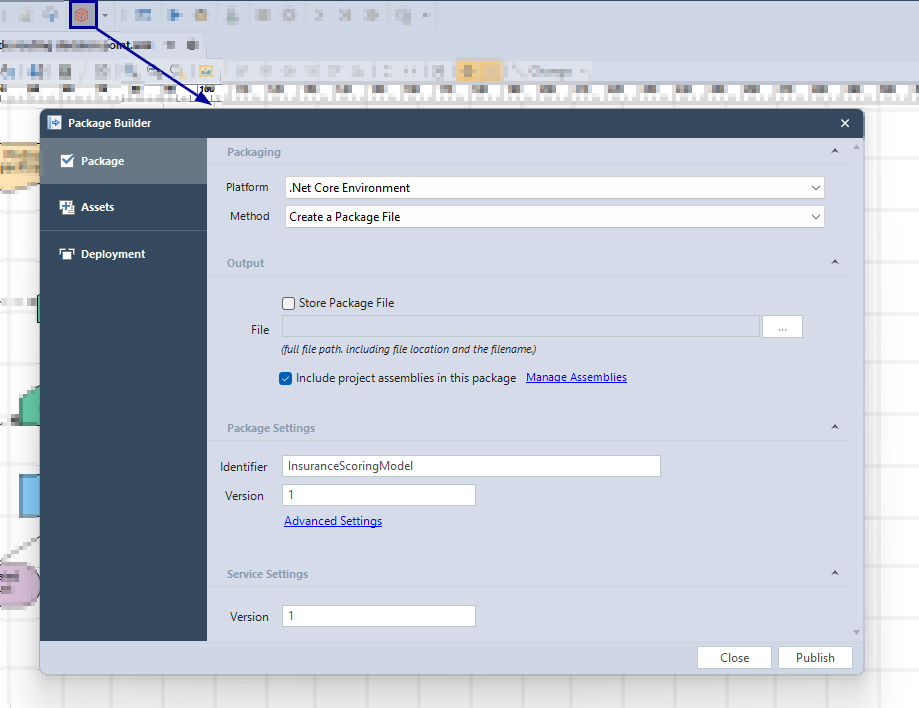
To deploy a DMN model as an Azure Function, click the Package Builder (the red Box icon). On the first tab, you must fill out the package and service-related settings.
Settings of Azure credentials to deploy
In the Deployment tab, you must fill out your Azure credentials, such as Client ID and Client Secret. If you don't know how to find the credentials from your Azure account, please check this article.

After filling in the Azure credentials, click the Publish button to deploy the DMN model as an Azure Function.
Service Endpoints for the DMN model
Now, you have access to the Execute URL for your Azure function and the URLs for Packages and Services.

Accessing Service Endpoints for the DMN model
You can copy the endpoint URLs and set a third-party API client like Postman to access the service endpoints as follows.

Summary to deploy the DMN model to Azure
By clicking on the package builder icon and filling out the package settings and credentials, you can deploy your DMN model on Azure. To get the response from your DMN model, you can use any third-party API client. You need to pass the input to the deployed DMN model and get the response.


