
FlexRule Decision Studio (FDS), our web-based authoring platform, allows you to quickly create a new decision automation project by loading an existing Decision Model and Notation(DMN) file directly into the platform. Then it becomes a fully executable decision model with all available Boxed Expressions, Decision Table, and Full support for FEEL.
This guide explains how to load a DMN file into the FlexRule web-based authoring platform and execute the decision model using the Input Value Composer.
Open the Web-Based Authoring Platform
Launch FlexRule Open and navigate to the Decision Studio. FlexRule Decision Studio provides a browser-based environment for designing, managing, and executing decision models without requiring desktop installation.
From the project creation screen, select: “From DMN File.” This option enables you to create a new project directly from an existing DMN model.
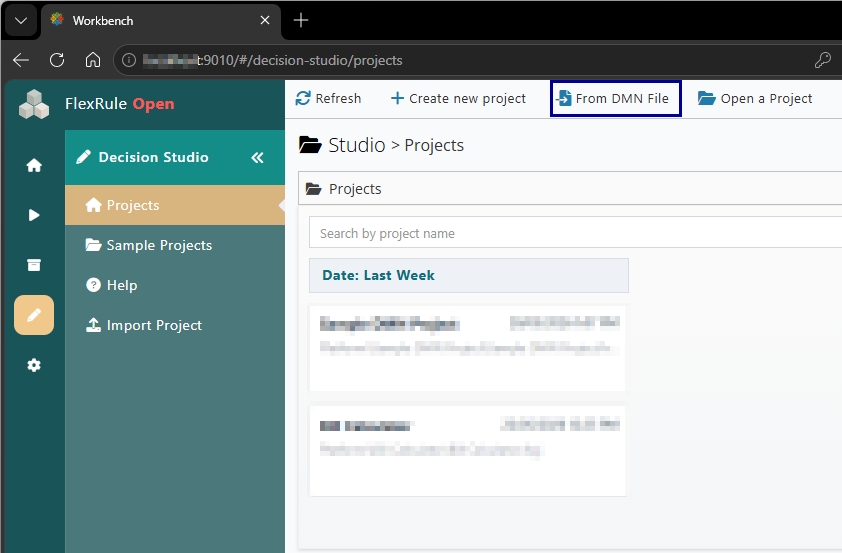
Create a New Project from a DMN File
After selecting From DMN File, the Create a New Project window appears.
In this window, provide the following information:
- Project Name : Define the name of your new project
- Workspace Location: Select the workspace where the project will be stored
- DMN File: Select the existing DMN file you want to load
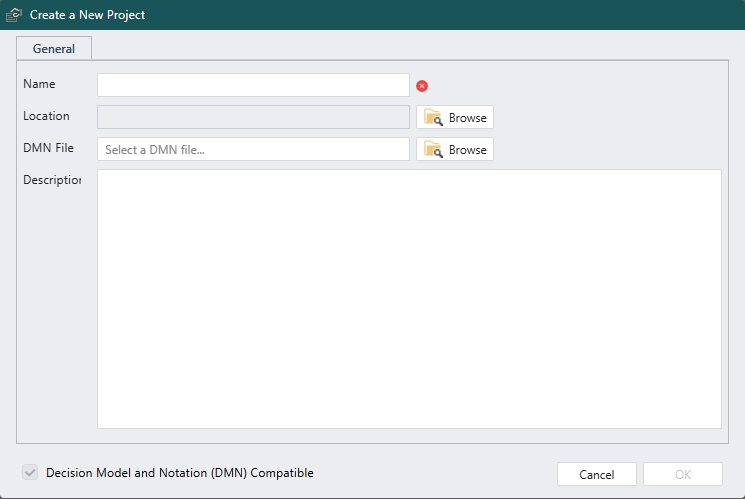
The DMN Compatible option is enabled by default. This automatically installs the required DMN extension for the project configuration. As a result, the DMN file becomes a fully compatible project with DMN execution within the FlexRule web-based authoring platform.
Once the loading process completes, you can review the generated decision model inside the project workspace.
Following is a sample DMN file loaded into the FlexRule Decision Studio.
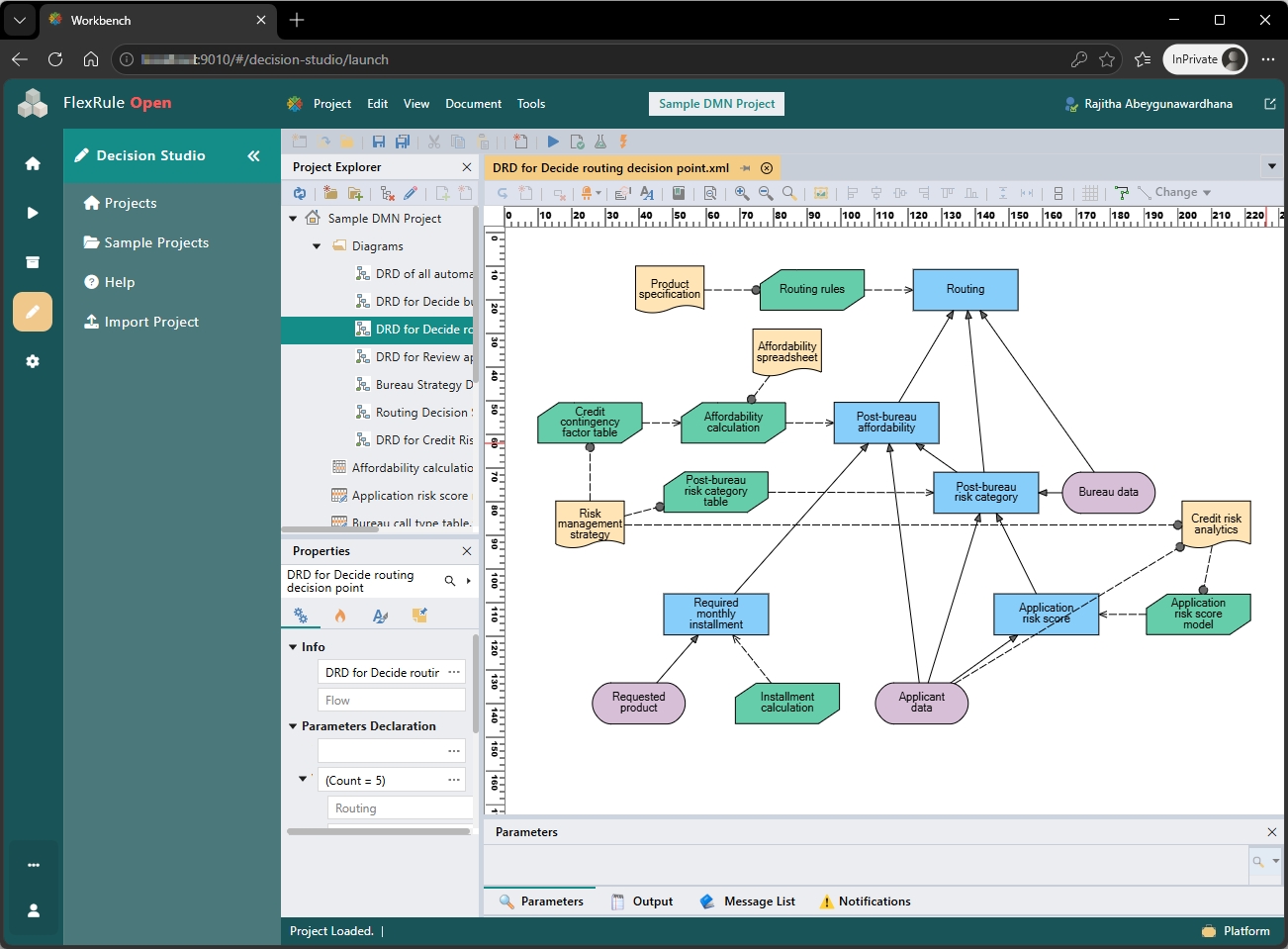
Execute the DMN Model Using Input Value Composer
To run the loaded decision model, launch the Input Value Composer, then enter the required input parameters. and execute the decision flow.
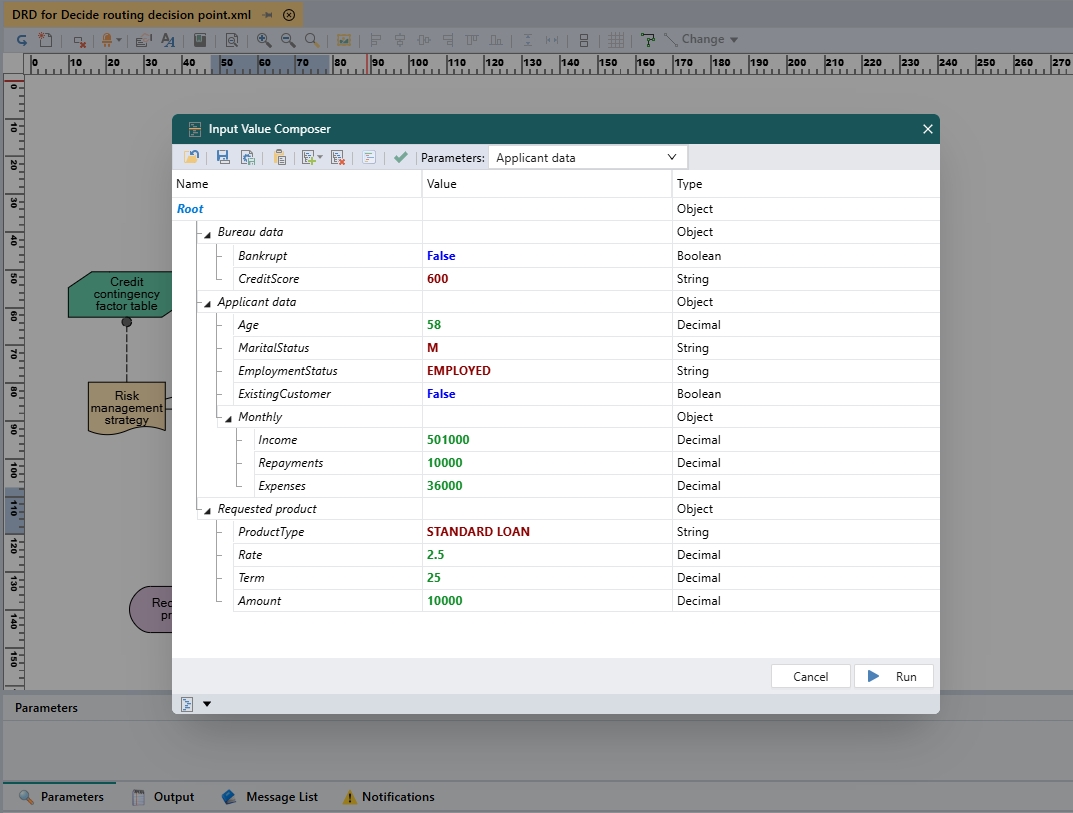
The execution results will appear in the Parameters window.
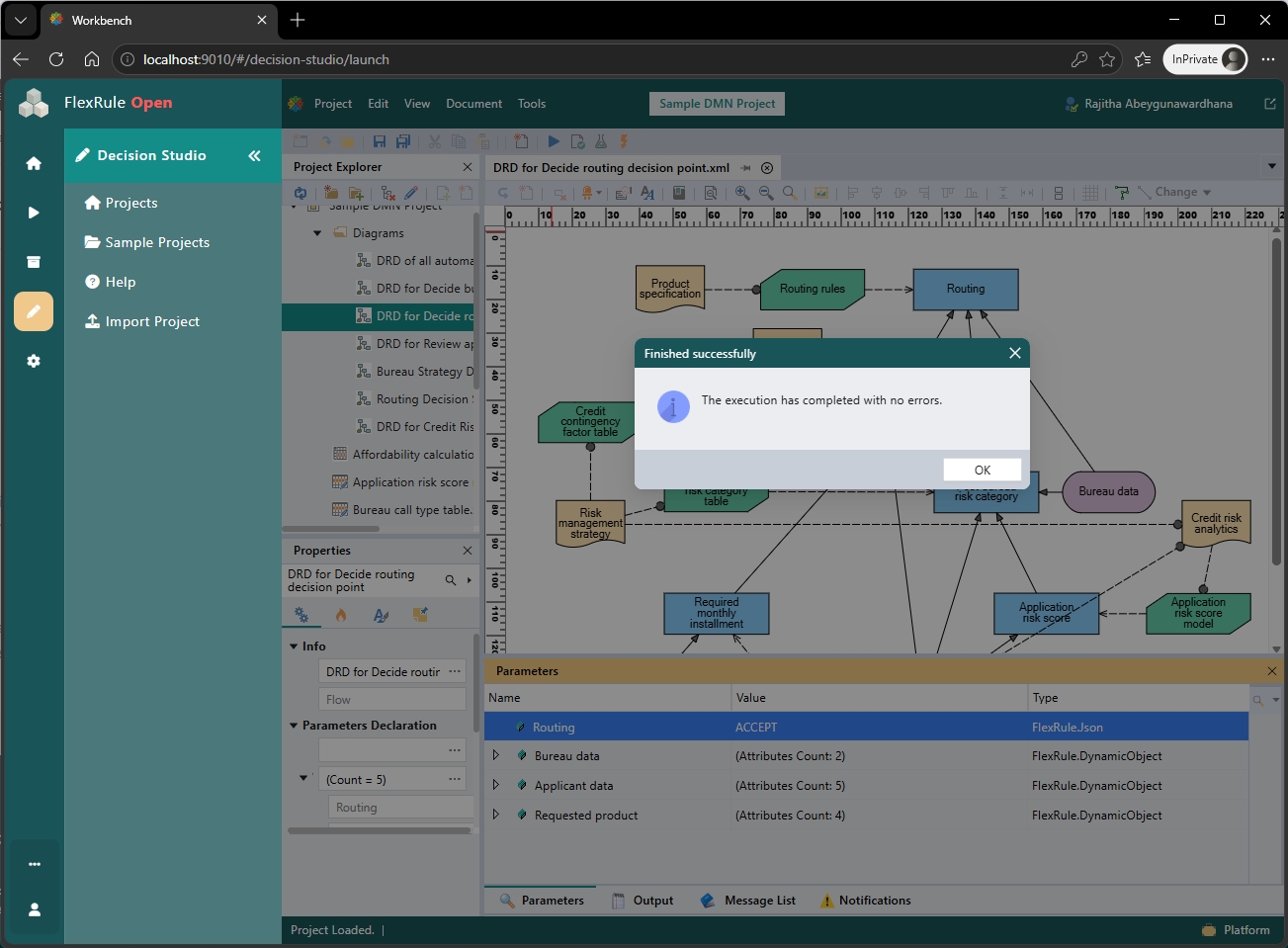
If you are familiar with FlexRule Designer, the Decision Studio user interface is designed to ensure you require very minimal learning based on your experience with our existing authoring environment (FlexRule Designer).
Conclusion
FlexRule Decision Studio makes it easy to load, manage, and execute DMN models within a modern web-based authoring platform. By loading an existing DMN file, organizations can quickly transform static DMN models into executable decision models with minimal setup effort.


