
If you’ve deployed a Decision Model and Notation (DMN) project as an Azure Function, you may need to retrieve its service details for integration, testing, or debugging. This guide will walk you through getting a Services URL and using it via an API testing tool like Postman.
Retrieve All Available Services Details
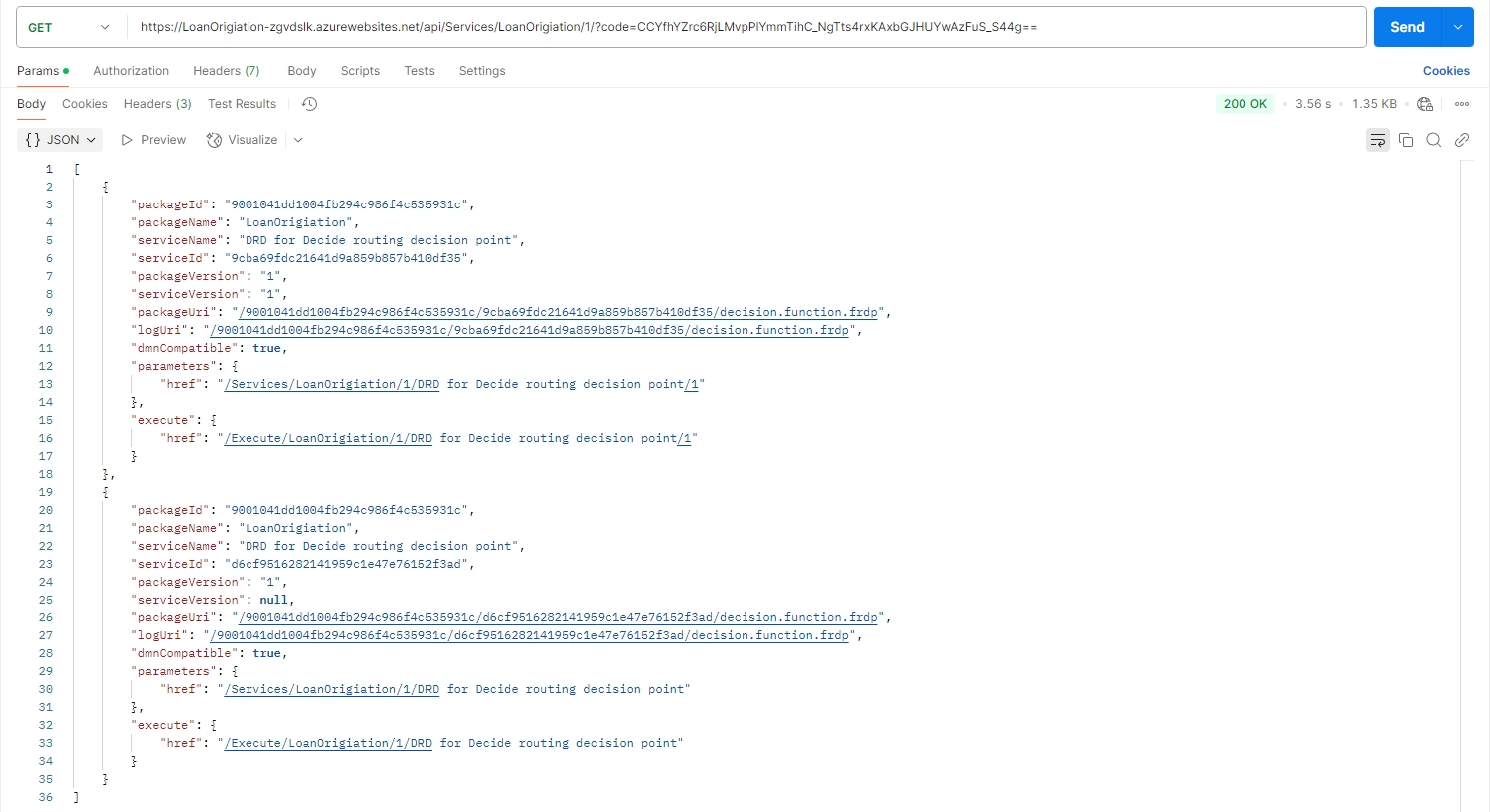
When you deploy your DMN model as an Azure function using FlexRule Designer, a Services URL is generated. This URL allows you to fetch a list of all available services along with their details.

To demonstrate how to retrieve service information, we will be using Postman. But you can use any API testing tool for this.
- Open Postman (or any API testing tool).
- Paste the Services URL into the request URL field and send a GET request.
- Review the response to see a list of all available services.
You can retrieve the service details as follows.
Retrieve Information on Service Parameters
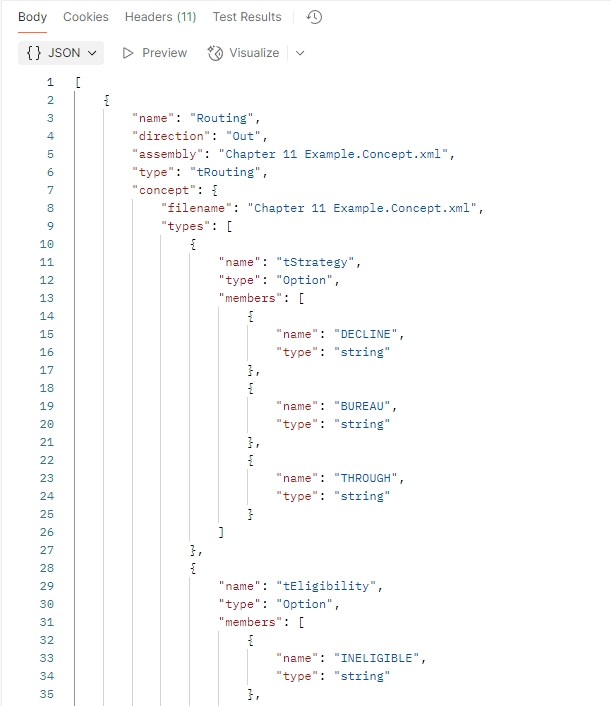
You can retrieve further information on the data structure, type, and assembly references.
Request for Information on Service Parameters
When you deploy your DMN model as an Azure function via FlexRule Designer, you can copy the Service Version URL to retrieve the information about parameters.

Response for Information on Service Parameters
In this example, Azure returns details about all the parameters of the model we deployed.
Summary
In order to retrieve service-related information and parameter details of a DMN model deployed as an Azure function, you can use the Service URL and the Service Version URL accordingly.


