
The some-in-satisfies logic in DMN is a fundamental part of working with data. It goes through every item of a list, and returns a Boolean value (true or false) if at least one item meet a certain condition. To use some-in-satisfies as a FEEL expression, see the article on DMN guide FEEL expressions: some-in-satisfaction. A boxed expression implements this logic using a boxed iterator. For more information on creating boxed expressions, see the FlexRule Resource Hub article: Creating Boxed Expressions
A Boxed Iterator offers a straightforward visual format for defining some-in-satisfies logic.
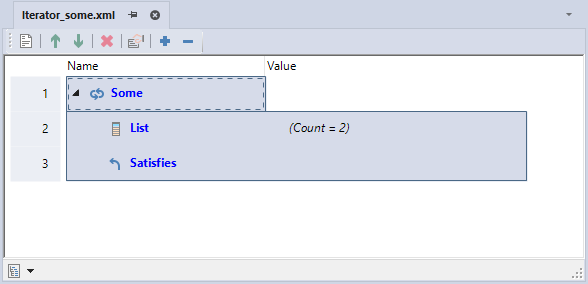
Add to a Boxed Expression
While in a boxed expression document, drag and drop an Iterator boxed expression from the Toolbox and click it on the root node.
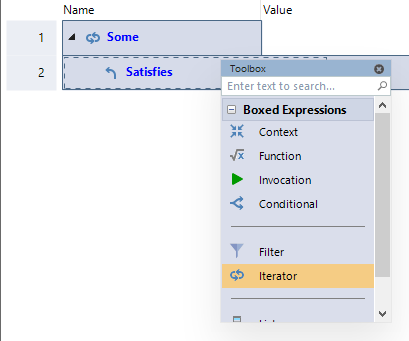
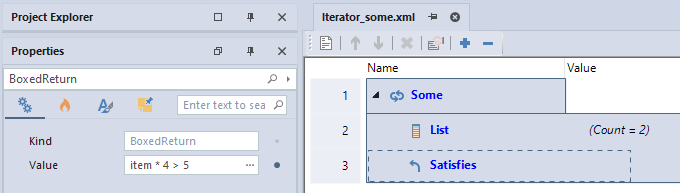
Set the iterator type as some and set an item name for each item in the input in the parameters window.
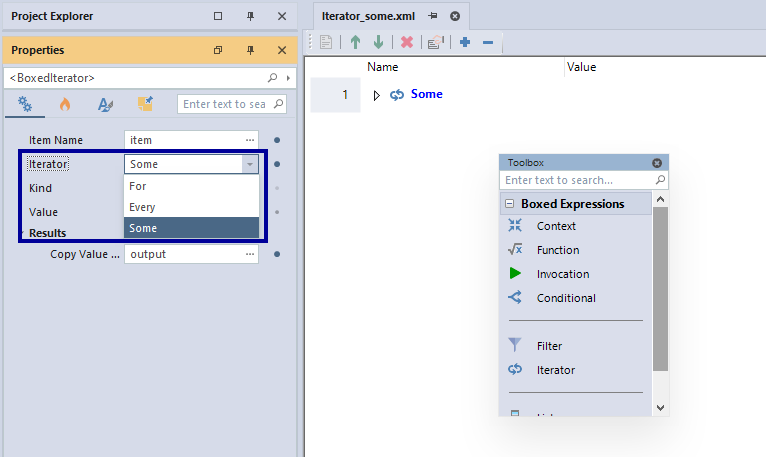
Set the input by writing any expression or an input in the value box, drag and drop or add a boxed list to the root node, or create an input from the variables definition window and write the input name in the value box. For information on boxed lists, view: Boxed Lists.
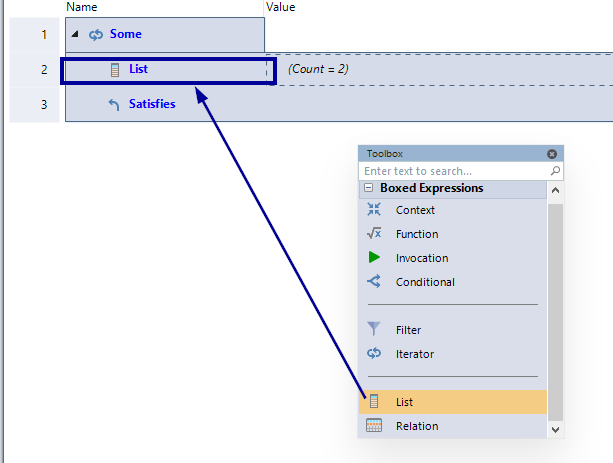
Set an expression for the return value using the item name.
Add the Boxed Iterator to a DRD
You can use the boxed expression in a Decision Requirement Diagram (DRD). Do this by dragging and dropping the boxed expression onto a business knowledge node. This action links the node directly to the boxed expression.
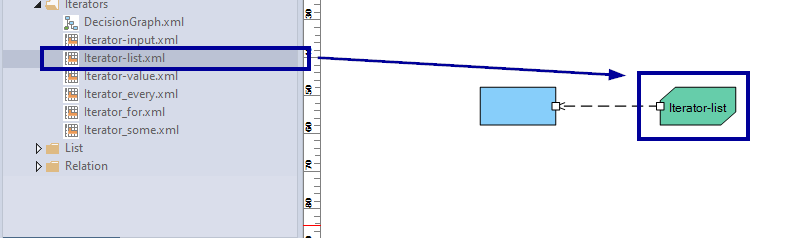
Give the business knowledge node a name and reference that name in the associated decision. Add empty parenthesis after the name if there are no input variables.

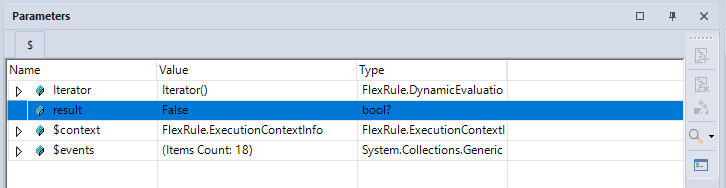
Once you run the project, view the parameters window and you can see that the iterator was saved to the output variable.
For more information on this see the FlexRule Resource Hub article on the DMN Decision Requirement Diagram: Decision Requirements Diagram.
Summary of some in-satisfies Logic in DMN
Some-in-satisfies logic in DMN is implemented using a boxed iterator. A boxed iterator provides a clear visual format within a boxed expression document. You can drag it in, set the output parameter, and define the for, in, and return parts. The expression can be added to a Decision Requirement Diagram via a business knowledge node, with results viewable after running the project.


