
With FEEL the every-in-satisfies structures can be used to identify conditions where all requirements for a list are met. Required by this structure is a condition and context (or) list and the result will be either true or false.
Open the Interactive Shell
Open FlexRule Designer and ensure the DMN extension is installed. Go to Tools>InteractiveShell from the top ribbon menu to open up the interactive shell and this allows you to test the every-in-satisfies in FEEL. The shell is a great way to test any FEEL expressions you want to use in a DMN model, and here you can also test the given examples below. To learn more about testing with the interactive shell check out this article.

The format is:
every condition in context satisfies result applied condition
Examples of the Every-In-Satisfies Structure
Here are some examples you can test in the shell:
every x in [2,4,6,8] satisfies x>5
result: False
every x in [2,4,6,8] satisfies x>10
result: False
every x in [2,4,6,8] satisfies x>1
result: True
every x in [2,4,6,8] satisfies x>=1
result: True
every x in [2,4,6,8] satisfies x!=10
result: True
every x in ["cat", "dog", "fish"] satisfies x!="bird"
result: True
every x in ["cat", "dog", "fish"] satisfies x!="cat"
result: False
You can add the every-in-satisfies structure to any part of a DMN model in FlexRule. For example, in the Hiking Gear sample DMN project, we can add a final node to check if the output parameter of a list type does not contain the string: “Hiking Poles” and to do this edit the expression of a decision node.
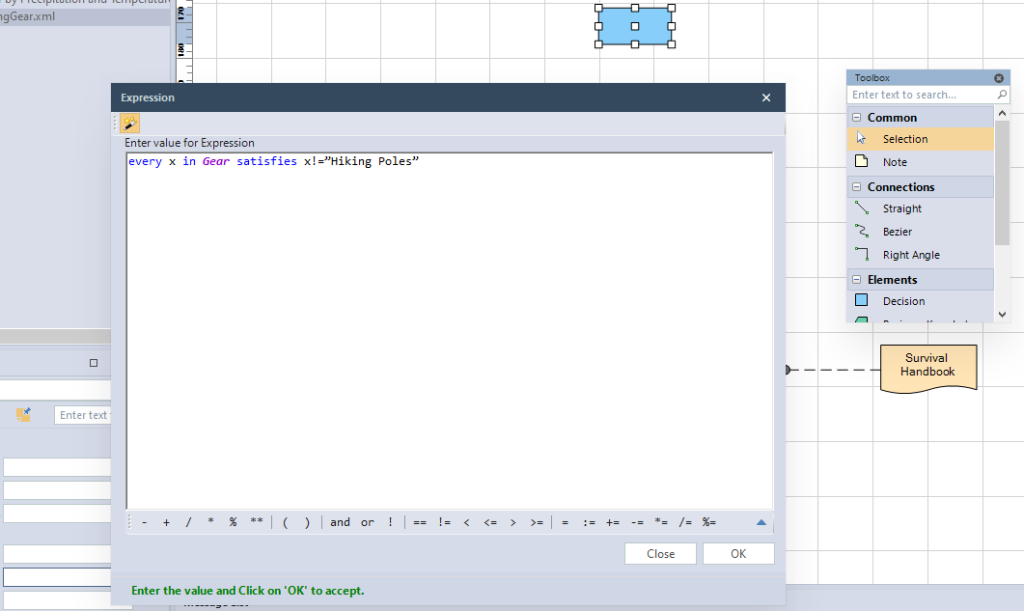
So, in this example, if that string is not in the given list parameter the expression will return true.
DRDs, flows, boxed expressions, and decision tables support FEEL expressions within the FlexRule platform.
Summary of the Every-In-Satisfies Structure
every-in-satisfies structures validate each item of a list based on criteria. You can learn how to use this structure in the interactive shell. The every-in-satisfies strucutre requires a condition and a context (or list) and the result of this structure is a boolean value. To learn more about list operations, take a look at this section of our resouce hub guide on FEEL expressions.


