
In our previous article, we discussed the importance of using source control for DMN models and provided a step-by-step guide on setting up local source control. In this article, we’ll take the next step: connecting your local source control to a remote repository. Managing a centralized remote repository for DMN models is essential for collaboration, backup, and version management across teams.
To proceed, you need access to a remote repository (e.g., GitHub, Azure DevOps, GitLab) that you will connect to your DMN model. For this article, we’ll use GitHub as an example of a remote repository. If you do not already have a repository, create a new one and copy its repository URL. (ex: https://github.com/<user>/DMNLoanOrigination.git)
Manage Repositories: Add a Remote Repository
To connect your local DMN model to a remote repository:
Click the branch name (e.g., master) at the bottom right corner of the FlexRule Designer. And then, in the menu, choose Manage Remotes.
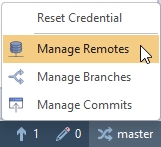
In the Remote Repositories window: Click Add New.

Enter a Name for your remote (e.g., DMNLoanOrigination) and enter the URI (the full URL to your remote repository) and click OK to save.
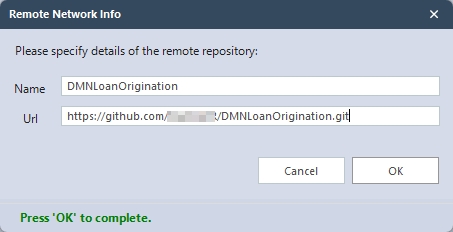
Set Default: If you have multiple remotes, select one and click Set Default. You can also Edit, Delete, or Refresh your remotes from this window.
Manage Branches
Branching allows you to work on different logic implementations or fixes independently. Select Manage Branches from the branch name (e.g., master) at the bottom right corner of the FlexRule Designer.
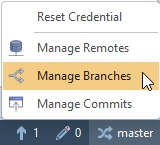
In the Manage Branches window, you can:
- Add New: Create a new branch.
- Check Out: Switch to a different branch.
- Refresh: Update the branch list.

The current branch is always shown at the bottom of the FlexRule Designer.
Summary
In this article, we explained how to connect your local Decision Model and Notation (DMN) model in FlexRule Designer with a remote repository, using GitHub as an example. We also discussed how to add and manage remote repositories and branches entirely through FlexRule Designer, enabling even non-technical users to collaborate and manage changes with a remote repository without prior source control expertise.


