
FEEL (Friendly Enough Expression Language) is an easy-to-read language used for writing business rules and decision logic. FEEL expressions are used in DMN (Decision Model and Notation) models to execute needed logic. FlexRule allows you to evaluate FEEL expressions before adding them as a part of the DMN models. There are different tools available in the platform for testing out FEEL expressions.
The Watch Window
To test out FEEL expressions in Designer, you can use the watch window or the interactive shell while debugging.

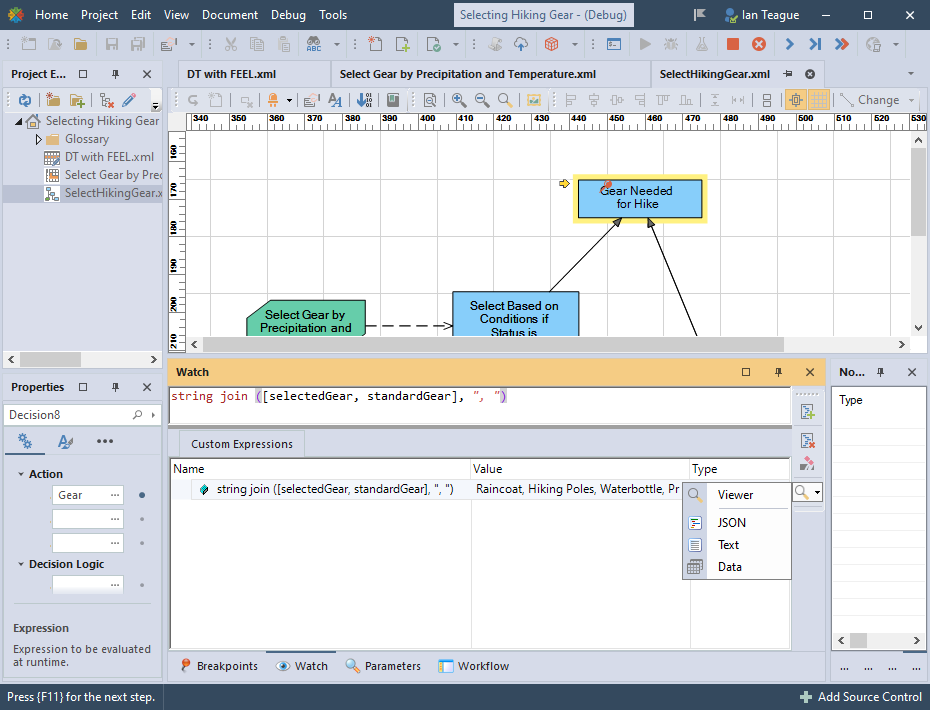
While debugging, you can use parameters set at that point of execution in FEEL expressions. The result of the expression will show up in the watch window. The original expression will be under the Name column, the result under the Value column, and the type of the result under the Type column. You can click on the data viewer icon to view the result, or select the dropdown menu on that icon to view in a specific format.
The Interactive Shell
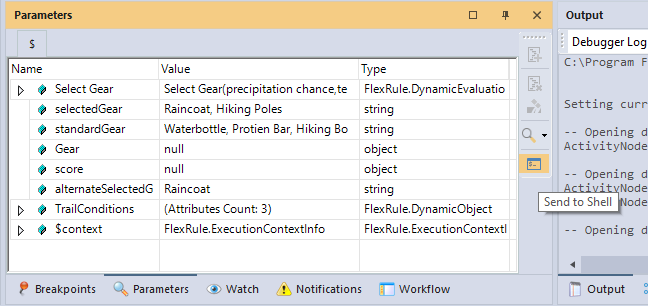
You can send current parameters to the interactive shell to test out FEEL expressions in DMN. While you are debuging and there are parameter values in the parameters window, select the interactive shell icon.
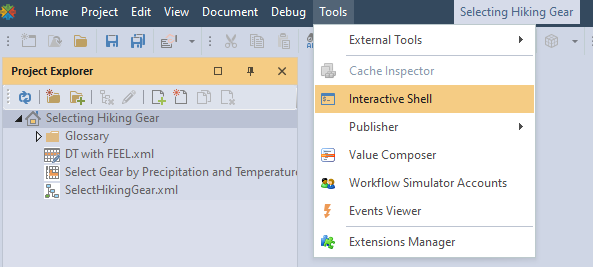
You can open the interactive shell when not debugging, either from the watch window or from the top ribbon menu select Tools>Interactive Shell
Test out FEEL expressions in the shell, and view different DMN functions by selecting the help menu on the bottom right blue arrow.

In the help menu, expand the DMN section to view functions, how to use them, and examples.

Summary of Evaluating FEEL Expressions
FEEL is an intuitive expression language that is fully supported by FlexRule. You can test out FEEL expressions in DMN by using the FlexRule interactive shell and the watch window while in a debug session.


